Enabling Discord Developer Mode
Info
All administrative commands in BodgeBot require a messagid argument. In order to get this you will need to enable developer mode.
In Discord, click the Gear icon next to your name in the lower left corner.

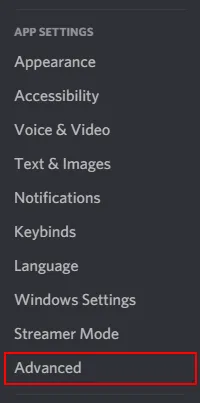
Click Advanced under App Settings on the left hand side.
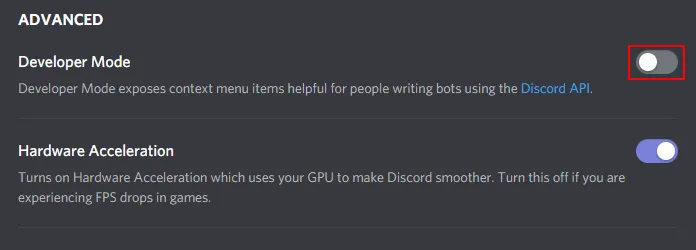
Developer Mode is the first option in the Advanced page. Click the Toggle icon next to it to enable developer mode.
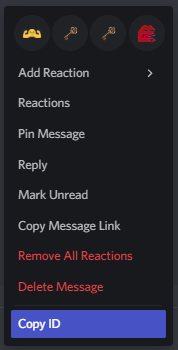
After enabling developer mode, You should be able to see 'Copy ID' when right clicking a messages, users and any other object in discord.